


Saddle Stitch Books (Books)
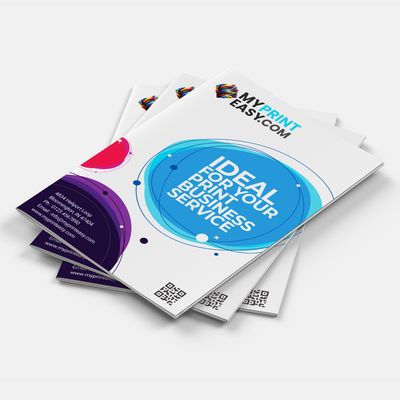
Saddle Stitch BooksSaddle Stitch: A Professional Look for Your Booklets and Reports
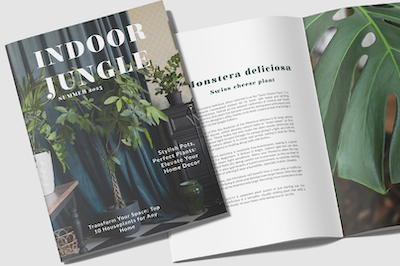
Suitable for booklets, magazines, reports, brochures, catalogs, or newsletters, the possibilities of saddle stitch may surprise you. Saddle stitching gives your material a sleek and professional look that confirms your organization’s credibility.
Perfect for Smaller Projects: Affordable and Stylish Saddle Stitch Binding
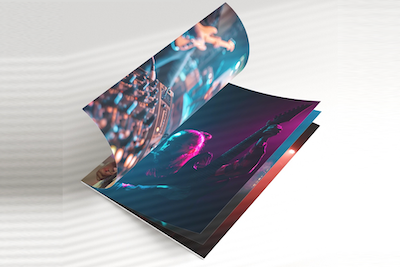
Saddle stitch binding is perfect for your smaller projects and booklet needs. It’s very popular for so many different types of booklets ranging from 8 to 64 pages (including cover). Of course, the type of binding you choose will also depend on your selected paper. Using a simple process of folding and stapling, your booklets will still “wow” customers, stakeholders, employees, and members!
High-Quality Saddle Stitch Printing Services at MyPrintEasy
At MyPrintEasy, we provide highly rated saddle stitch book and booklet printing services that include exceptional quality, a quick turnaround, and low-cost pricing.
Product Features
- Ideal for booklets and smaller page projects
- Print and secure 8 to 64 pages including cover.
- The process involves folding sheets in half and stapling down the center.
- Printed in full color on both sides.
Specifications
- Upload required PDF file.
- Submit your design in 300 dpi.
- CMYK color is suggested for optimum results.
- um results.
File Formats: PDF Press Ready
To set up prepress files, convert images to CMYK color mode, ensure a minimum 300 dpi resolution, add a bleed (extra space) to the edges, and include crop marks for trimming. Properly embed or outline fonts, check for safe zones for important text, flatten transparencies, and save the final file in a printer-recommended format, typically a high-resolution PDF, ensuring everything is sized correctly.
File Preparation Checklist
- Resolution: Make sure all your images have a resolution of at least 300 dpi (dots per inch) to prevent pixelation in print.
- Color Mode: Convert your document's colors from RGB to CMYK, as CMYK is the native color mode for most printing presses.
- Bleed: Add an extra 1/8" (3mm) of image area around the trim edge to account for cutting.
- Safe Zone: Keep important text and graphics at least 1/8" away from the trim edge to ensure they aren't cut off.
- Fonts: Embed all fonts or convert them to outlines to ensure they appear correctly, regardless of whether the we has the fonts installed.
- Crop Marks: Include crop marks to indicate the final trim size of your project.
- Flatten Transparencies: Flatten any transparency effects to avoid potential issues during printing.
- File Format: Save your final file as a high-resolution PDF using the printer's recommended settings.
- Proof-read: Carefully proofread the file for any spelling or grammatical errors and perform a color proof.
- Imposition: If it's a multi-page document, ensure it is set up for imposition, which arranges pages for efficient printing. Always check with our customer service representative for our file specifications and preferences, as requirements can vary by project.
Let’s Build Something Extraordinary Together
Share your vision with us, and we’ll craft a tailored solution just for you—delivered with precision, creativity, and care.
Price Calculator
Product of the Week
Saddle Stitch Catalogs
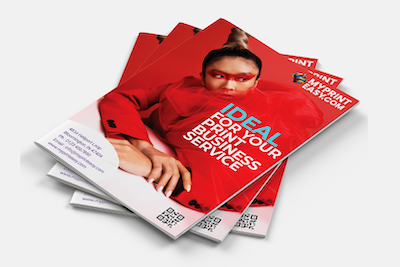
Saddle-Stitched Catalogs That Impress. Perfectly bound, sleek, and ready to showcase your brand.
Ideal for booklets and smaller page projects | Print and secure 8 to 64 pages including cover. | Printed in full color on both sides.
*Minimum order quantity applies.
ORDER TODAY
 Rating
100% Satisfaction Guarantee
Learn more about our Satisfaction WarrantyFree Sample Kit
Learn more about our Free Sample KitHonest Pricing Guarantee
Learn More about our Honest Pricing Guarantee